questions & feedback
78 Topics
DFIR CTF: LightNeuron DLL - Question 8
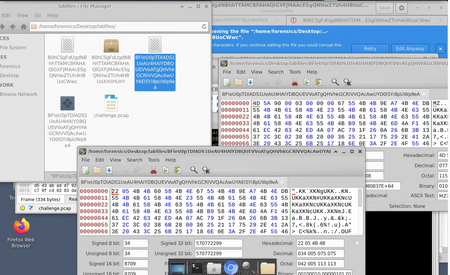
In relation towards finding the decrypted email. I am wondering about what I am getting wrong from the conditional breakpoint in order to expose all the decrypted strings after the return function After searching up the XOR key location I went to from Ghidra Through the RET function which I thought would expose the strings I ran going to the ret function then after following the process in order to go to the DLL malware and got into the ret function I set the breakpoint and debug restarted However, it kept saying memory address unavailable. such as this also includes setting the CF flag to 0 I am wondering about what I am doing wrong here and where should I dig deeper? Note: used Gemini to help look into possible solutions however, refered to https://www.youtube.com/watch?v=Tc8Wl37uwYc for aid I have also tried to run to the function but for some reason it the instruction keeps catching it and making a return away from the malware by setting breakpoint towards there but I keep getting lost on how I could actually breakdown the return and evasion techniques. Wondering where should I be digging more to learn how to investigate this process despite the amount of returns stopping the function4Views0likes0Comments
Struggling to find the IT email on Simulations: BarterTown Delivery
During the last few days, I’ve been stuck on this lab, and I’m not sure what I’m missing. The lab asks us to use OSINT tools and techniques to gather intelligence about individuals to target within the organization, with the goal of testing the awareness of BarterTown’s IT staff and eventually gaining a foothold in the internal network. I’ve been using the information provided by the lab as a starting point for my reconnaissance. The website gives us several employees and their email addresses, but none of them are identified as IT staff. I also found the DNS SOA contact (hostmaster.bartertown.bitnet), but that appears to be a standard administrative DNS alias rather than an actual employee. The mail server does not seem to allow useful anonymous user enumeration, and the other reconnaissance results have not revealed the missing user. Has anyone completed this lab and can give me a hint about where/how the missing target information is supposed to be discovered?77Views0likes1CommentBrute Force task in an 15 min lab taking over 30 hours to complete
Hello everyone, I am doing an Immersive Labs about hacking, and there is a lab where I can learn how to crack codes with Hydra using SSH, HTTP, and FTP. The problem is that for the FTP part, I am supposed to brute-force a password (a 4-character password composed of lowercase letters and numbers). I am using the correct command, but the brute force is extremely slow, doing roughly 1 attempt every 3.5 seconds, which brings the total cracking time to over 30 hours. I waited 2 hours already, which is far too long, especially since the lab has to be extended every 10–15 minutes. However, now it has become personal, and I really want to get this password. Can anyone help? I am using the following command: hydra -l jimmy -x 4:4:1a -f -t 64 ftp://(ip address) i have tried -t, 4, 8 and 16, doesn't change anything I also tried creating 4 lists containing all possible passwords and running them in parallel with -P instead of using -x, but I always got too many attempts. Name of the lab ist: Credential Access: Using Hydra129Views0likes1CommentDFIR CTF: LightNeuron DLL - Question 8
In relation towards finding the decrypted email. I am wondering about what I am getting wrong from the conditional breakpoint in order to expose all the decrypted strings after the return function After searching up the XOR key location I went to from Ghidra Through the RET function which I thought would expose the strings I ran going to the ret function then after following the process in order to go to the DLL malware and got into the ret function I set the breakpoint and debug restarted However, it kept saying memory address unavailable. such as this also includes setting the CF flag to 0 I am wondering about what I am doing wrong here and where should I dig deeper? Note: used Gemini to help look into possible solutions however, refered to https://www.youtube.com/watch?v=Tc8Wl37uwYc for aid80Views0likes1Comment
Incident Response: Application Shimming
I'm working through the Incident Response: Application Shimming lab and I'm stuck on the final question (but have correctly answered all previous questions). Without giving away any answers to those reading this, I'm hoping someone can tell me whether I'm following the correct investigation path or if I'm overlooking an artifact. So far I've: - Followed the registry keys mentioned in the briefing. - Identified the affected application and the installed shim database. - Examined the SDB file with the provided analysis tool. - Followed the breadcrumb trail from the previous questions. - Examined the DLL identified in the previous question for URLs, HTTP-related strings, and other obvious indicators. - Searched the SDB and related files for URLs and network indicators. - Checked the application's installation directory for additional relevant artifacts. At this point I can't find anything that appears to answer the final question, and I'm wondering if I'm expected to analyze a different file or use a different tool than the ones provided in the VM. Could someone give me a nudge in the right direction? Specifically, I'd like to know: Am I investigating the correct artifact? Is there another file or artifact that should be analyzed? Or is there another technique/tool that the lab expects me to use? Thanks!147Views0likes1Comment
Error in lab in SVMs Behavior Detection
Ref: /v2/labs/fundamental-ai-algorithms-ep-7-svms-behavior-detection/category/ai/series/fundamental-ai-algorithms In Cell-2 of the lab, I used the code below: # connect to elasticsearch using the username python and password pythonisawesome #es = Elasticsearch( 'ELASTICSEARCH_URI', basic_auth=( 'USERNAME', 'PASSWORD' ) ) #es = Elasticsearch( 'http://elasticsearch:9200', basic_auth=( 'python', 'pythonisawesome' ) ) #es = Elasticsearch( 'http://127.0.0.1:9200', basic_auth=( 'python', 'pythonisawesome' ) ) es = Elasticsearch( 'http://172.17.0.1:9200', basic_auth=( 'python', 'pythonisawesome' ), verify_certs=False, ssl_show_warn=False ) # get the process tree for a process #ptree = getPtree( es, 'PROCESS_COMMANDLINE_FOR_INITIAL_PROCESS' ) ptree = getPtree( es, '"C:\\Users\\Administrator\\Downloads\\python-3.10.4-amd64.exe"' ) While running, I got the following error: --------------------------------------------------------------------------- ConnectionError Traceback (most recent call last) <ipython-input-18-724dfb6e6522> in <module> 107 # get the process tree for a process 108 #ptree = getPtree( es, 'PROCESS_COMMANDLINE_FOR_INITIAL_PROCESS' ) --> 109 ptree = getPtree( es, '"C:\\Users\\Administrator\\Downloads\\python-3.10.4-amd64.exe"' ) 110 111 # graph the structure of the process tree <ipython-input-9-ceca3d8599dc> in getPtree(elasticsearch, initial_process) 101 102 # get the initial process id from its commandline --> 103 initial_pid = getProcessFromCmdline( elasticsearch, initial_process ) 104 if initial_pid == None: 105 return <ipython-input-9-ceca3d8599dc> in getProcessFromCmdline(elasticsearch, process) 31 # set it return the process entity id as the unique ID and the commandline and run the query 32 fields = [ 'process.entity_id', 'process.command_line' ] ---> 33 results = esSearch( elasticsearch, query, fields ) 34 35 # check it only returned one value <ipython-input-9-ceca3d8599dc> in esSearch(elasticsearch, fields_values, fields) 18 19 # query elasticsearch specifying what fields you want it to return ---> 20 response = elasticsearch.search( index = 'winlogbeat-*', size='10000', query=query, fields=fields ) 21 22 # return the query hits /usr/local/lib/python3.8/dist-packages/elasticsearch/_sync/client/utils.py in wrapped(*args, **kwargs) 412 pass 413 --> 414 return api(*args, **kwargs) 415 416 return wrapped # type: ignore[return-value] /usr/local/lib/python3.8/dist-packages/elasticsearch/_sync/client/__init__.py in search(self, index, aggregations, aggs, allow_no_indices, allow_partial_search_results, analyze_wildcard, analyzer, batched_reduce_size, ccs_minimize_roundtrips, collapse, default_operator, df, docvalue_fields, error_trace, expand_wildcards, explain, fields, filter_path, from_, highlight, human, ignore_throttled, ignore_unavailable, indices_boost, lenient, max_concurrent_shard_requests, min_compatible_shard_node, min_score, pit, post_filter, pre_filter_shard_size, preference, pretty, profile, q, query, request_cache, rescore, rest_total_hits_as_int, routing, runtime_mappings, script_fields, scroll, search_after, search_type, seq_no_primary_term, size, slice, sort, source, source_excludes, source_includes, stats, stored_fields, suggest, suggest_field, suggest_mode, suggest_size, suggest_text, terminate_after, timeout, track_scores, track_total_hits, typed_keys, version) 3745 if __body is not None: 3746 __headers["content-type"] = "application/json" -> 3747 return self.perform_request( # type: ignore[return-value] 3748 "POST", __path, params=__query, headers=__headers, body=__body 3749 ) /usr/local/lib/python3.8/dist-packages/elasticsearch/_sync/client/_base.py in perform_request(self, method, path, params, headers, body) 284 target = path 285 --> 286 meta, resp_body = self.transport.perform_request( 287 method, 288 target, /usr/local/lib/python3.8/dist-packages/elastic_transport/_transport.py in perform_request(self, method, target, body, headers, max_retries, retry_on_status, retry_on_timeout, request_timeout, client_meta) 327 start_time = time.time() 328 try: --> 329 meta, raw_data = node.perform_request( 330 method, 331 target, /usr/local/lib/python3.8/dist-packages/elastic_transport/_node/_http_urllib3.py in perform_request(self, method, target, body, headers, request_timeout) 197 exception=err, 198 ) --> 199 raise err from None 200 201 meta = ApiResponseMeta( ConnectionError: Connection error caused by: ConnectionError(Connection error caused by: NewConnectionError(<urllib3.connection.HTTPConnection object at 0x7f4e74162700>: Failed to establish a new connection: [Errno 111] Connection refused))103Views0likes2CommentsPowershell Deobsfuscation Ep.7
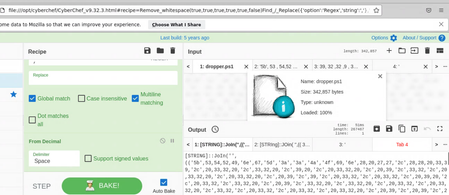
I first collected the .ps1 script and noticed that it is from hex after decoding from hex I noticed that it converts from decimals This led me to use the from the from decimal recipe from Cyberchef However, this led me towards only the decoded eding of the script itself. with the main obfuscated payload being empty. I am wondering about where I am going wrong in my thought process.Solved119Views0likes1Comment
Malicious Document Analysis: Dropper Analysis
I need help with this lab. going through the Malicious document analysis section of the Incident response badge. it goes from "use olevba" to analyse documents to wanting you to edit python script to manually de-obfuscate files. there’s no guidance on doing this within the lab and the lab doesn’t refer you to anywhere else you can learn/ get information that will help with this lab. i don’t want the answers or my hand holding, but a pointer in the right direction within the lab would be nice. is there any other labs people recommend that may help prepare me for this one?82Views0likes1CommentEthereum: The Blockchain, Transactions, and Explorers
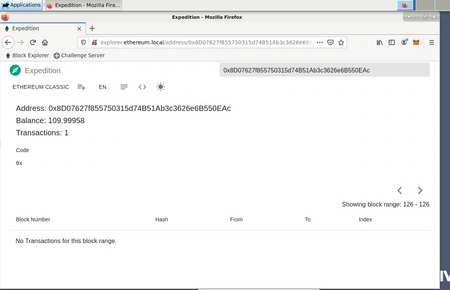
Hi All, I am super stuck on question 9' After completing the previous question, a certain number of ETH was sent to your wallet. Using the blockchain explorer, what is the address that sent you this ETH?' I have input the labs wallet ID into the block explorer but I cant see any transactions to trace where the ETH has come from. Am I being stupid or is something not working?88Views0likes1Comment