defensive cyber
100 Topics
Abusing Trust Boundaries for RCE
I'm a bit stuck on this one as I'm not that familiar with Git and all the associated terminology. How do I clone the repo? which dir does the .mcp.json file sit in? Does this not pre-exist as its adding extra capabilities\extension to the original code? Does the target host pull the file automatically to give me a shell? Many thanks - GusSolved73Views0likes2Comments
python-scripting-for-malware-analysis-ep-5-code-obfuscation
Has anyone attempted this lab? I appear to be stuck after creating a python script to put the code through the loops - I can produce a deobfuscated block but have inspected it using both xxd and strings but was unable to find a hidden url. Curious if anybody has solved it yet.Solved727Views0likes16CommentsWant to design a CTF lab to share? 🤩🖥️
For this year's Community Challenge Series of labs, we want to see what you can make! Our Lab Builder allows users to build custom labs with the help of ai tooling. We'll give some guidance on creating the lab, then you build it, we assess it and add it to the Challenge Series 2026. If you're interested, drop a comment below or email [email protected] 💡👇 Here are tutorials on how to build your first practical lab: Building Your First Practical Lab (Part 1) | Immersive Community - 2505 Building Your First Practical Lab (Part 2) | Immersive Community - 2506273Views2likes0Comments
Need help in Splunk Lab!
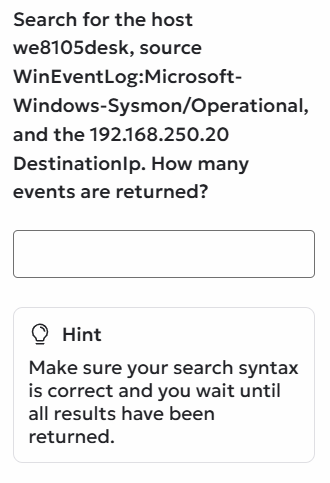
I am attempting the Splunk collection under Upskill. In the final lab i.e. Demonstrate your skill lab, I am getting stuck at a particular task. This is the prompt that I need to solve. The problem is there is no field for Destination IP in the log. Whenever I search according to the prompt, no results are returned and the question won't take 0 as an answer. Please help me move forward.141Views0likes2Comments
Microsoft Sentinel Deployment & Log Ingestion: Ingesting Platform Logs via Diagnostic Settings
Hello Immersive Labs community, I’ve been working through the lab tasks and successfully completed tasks 1 through 6. However, I’m stuck on task 7, which asks: "A storage account has been deleted. What would be the data type of the generated log?" The task seems oddly described, and I can’t find any clear hints in the lab briefing or online resources. I’ve tried querying various data types like AzureActivity, AuditLogs, StorageBlobLogs, StorageFileLogs, and others, but none seem to fit correctly. Could anyone provide guidance or confirm which data type is actually relevant for this scenario? Are there any specific tips or resources I might be missing? Thanks in advance for your help!2.1KViews0likes1Comment
Powershell Deobsfuscation Ep.7
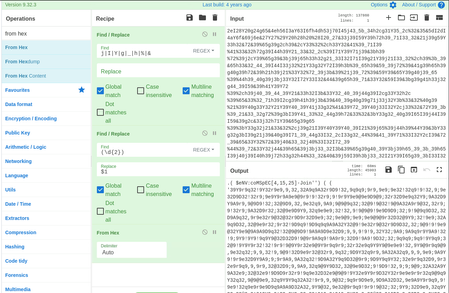
I was working on this and got stuck with Ep.7. Appreciate if anyone can assist with this Powershell de-obfuscation. Step 1: I removed the splits accordingly and converted from hexadecimal Step 2: Next, there was another set of splits to perform and ascii conversion. Ended up with the small snip of string at the bottom with a lot of (spaces and tabs) at the beginning. Basically empty spaces before coming to this short scripts. I am not sure on how to move from here. Anyone can assist with this pls?Solved440Views2likes8Comments
Network Hardening Lab Recommendations
I've been looking for some good training resources for network hardening. I've been working through the Windows Hardening collection and found it really useful. Are there any other lab recommendations similar to this? In particular hardening things such as PfSense firewalls, Vyos routers, Linux endpoints etc.Solved134Views0likes3Comments